
How to Use the Meta Ads Library to Find Better Ad Ideas
How to Use the Meta Ads Library to Find Better Ad Ideas
How to Use the Meta Ads Library to Find Better Ad Ideas
Watch this video instead of reading. Happy Learning!
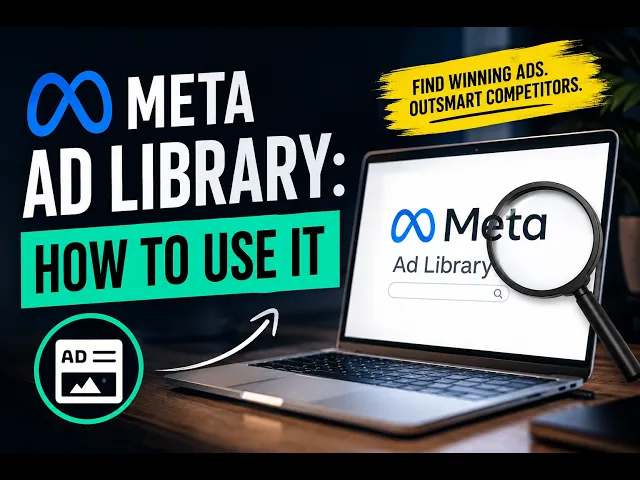
If you run Facebook or Instagram ads, the Meta Ads Library is one of the easiest free tools you can use for research. It allows you to see ads that businesses are currently running across Meta platforms, which means you can study competitors, look at current offers, and get ideas for your own campaigns without starting from scratch.
To use it, go to the Meta Ads Library, select your country, and search for either a specific competitor or a keyword related to your industry. A roofing company, for example, might search terms like “roof replacement,” “storm damage,” or “free roof inspection.” You can also search the names of competitors directly to see the ads associated with their business.
Look for Patterns
The most useful thing you can do is look at several businesses instead of focusing on just one. Pay attention to the offers they are promoting, the problems they are talking about, and the type of creative they are using. You may notice that several companies are using testimonials, before and after content, short videos, or similar offers.
Those patterns can help you understand what advertisers in your industry are testing. That does not mean you should immediately copy what they are doing, but it can give you a much better starting point for your own ideas.
Pay Attention to How Long Ads Have Been Running
The Meta Ads Library shows when an ad started running. If you find an ad that has been active for several weeks or months, it may be worth taking a closer look at it.
That does not automatically mean the ad is profitable. You cannot see another company’s cost per lead, conversion rate, or return on ad spend. However, businesses are generally less likely to keep spending money on creative that consistently produces nothing, so longer-running ads can be a useful signal.
Study the Hook and the Offer
When reviewing video ads, pay close attention to the first few seconds. Look at how the advertiser gets attention and what message they lead with. Some ads begin with a problem, some ask a question, and others immediately introduce an offer or speak directly to a specific type of customer.
You should also study the offer itself. Competitors may be using discounts, free estimates, financing, same-day service, guarantees, or another incentive to get someone to take action. Seeing what is common in your market can help you decide whether to test something similar or create an offer that feels different.
Look for Different Versions of the Same Ad
You may also notice that some businesses run several versions of the same basic ad. They might use the same video with a different opening line, headline, call to action, or offer.
This is useful because it shows how advertisers test creative. Instead of constantly creating something completely new, you can take an ad concept that is already working and test small changes to see if performance improves.
Use It for Research, Not Copying
The goal of using the Meta Ads Library should not be to copy another company’s ad word for word. You also have no way of knowing whether every ad you see is actually producing good results.
Instead, use it to understand the structure behind the ads you find. Look at the hook, the problem being presented, the offer, the proof, and the call to action. Then use those ideas to create something that fits your own business, customers, and brand.
The Meta Ads Library is valuable because it removes some of the guesswork from advertising. Instead of wondering what businesses in your industry are testing, you can see it for yourself and use that information to make better creative decisions.
Watch this video instead of reading. Happy Learning!
If you run Facebook or Instagram ads, the Meta Ads Library is one of the easiest free tools you can use for research. It allows you to see ads that businesses are currently running across Meta platforms, which means you can study competitors, look at current offers, and get ideas for your own campaigns without starting from scratch.
To use it, go to the Meta Ads Library, select your country, and search for either a specific competitor or a keyword related to your industry. A roofing company, for example, might search terms like “roof replacement,” “storm damage,” or “free roof inspection.” You can also search the names of competitors directly to see the ads associated with their business.
Look for Patterns
The most useful thing you can do is look at several businesses instead of focusing on just one. Pay attention to the offers they are promoting, the problems they are talking about, and the type of creative they are using. You may notice that several companies are using testimonials, before and after content, short videos, or similar offers.
Those patterns can help you understand what advertisers in your industry are testing. That does not mean you should immediately copy what they are doing, but it can give you a much better starting point for your own ideas.
Pay Attention to How Long Ads Have Been Running
The Meta Ads Library shows when an ad started running. If you find an ad that has been active for several weeks or months, it may be worth taking a closer look at it.
That does not automatically mean the ad is profitable. You cannot see another company’s cost per lead, conversion rate, or return on ad spend. However, businesses are generally less likely to keep spending money on creative that consistently produces nothing, so longer-running ads can be a useful signal.
Study the Hook and the Offer
When reviewing video ads, pay close attention to the first few seconds. Look at how the advertiser gets attention and what message they lead with. Some ads begin with a problem, some ask a question, and others immediately introduce an offer or speak directly to a specific type of customer.
You should also study the offer itself. Competitors may be using discounts, free estimates, financing, same-day service, guarantees, or another incentive to get someone to take action. Seeing what is common in your market can help you decide whether to test something similar or create an offer that feels different.
Look for Different Versions of the Same Ad
You may also notice that some businesses run several versions of the same basic ad. They might use the same video with a different opening line, headline, call to action, or offer.
This is useful because it shows how advertisers test creative. Instead of constantly creating something completely new, you can take an ad concept that is already working and test small changes to see if performance improves.
Use It for Research, Not Copying
The goal of using the Meta Ads Library should not be to copy another company’s ad word for word. You also have no way of knowing whether every ad you see is actually producing good results.
Instead, use it to understand the structure behind the ads you find. Look at the hook, the problem being presented, the offer, the proof, and the call to action. Then use those ideas to create something that fits your own business, customers, and brand.
The Meta Ads Library is valuable because it removes some of the guesswork from advertising. Instead of wondering what businesses in your industry are testing, you can see it for yourself and use that information to make better creative decisions.